These actions are done from the “My projects” page, via the “⋯” menu on the project card.
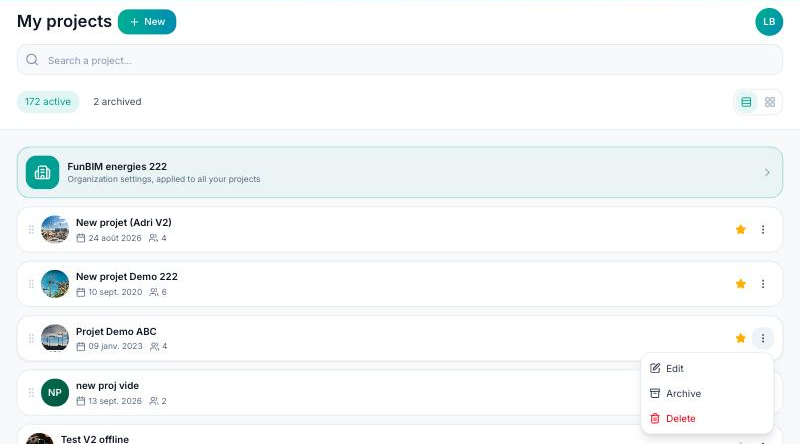
Edit: changes the project's name, number, address and photo. Everything else (trades, types, team…) is set in the project Settings.
Archive: the project leaves the list of active projects and moves to the “archived” tab, in read-only mode. Nothing is lost; “Reactivate” brings it back into use.
Delete: the project is removed from your list after confirmation.
These actions are reserved for the project creator and administrators. If you have been invited to a project, the menu offers “Leave project” instead: you will no longer have access to it, and the creator can invite you again.
