A FunBIM project corresponds to a construction site: it brings together its plans, observations, forms, team and dashboard.
From the “My projects” page (https://app.funbim.com), click the “New” button at the top right.

Then fill in:
- The project name (required).
- The project number: your internal reference, shown in reports.
- The site address.
- A project photo (optional): it illustrates the project card in your list and the cover page of reports.
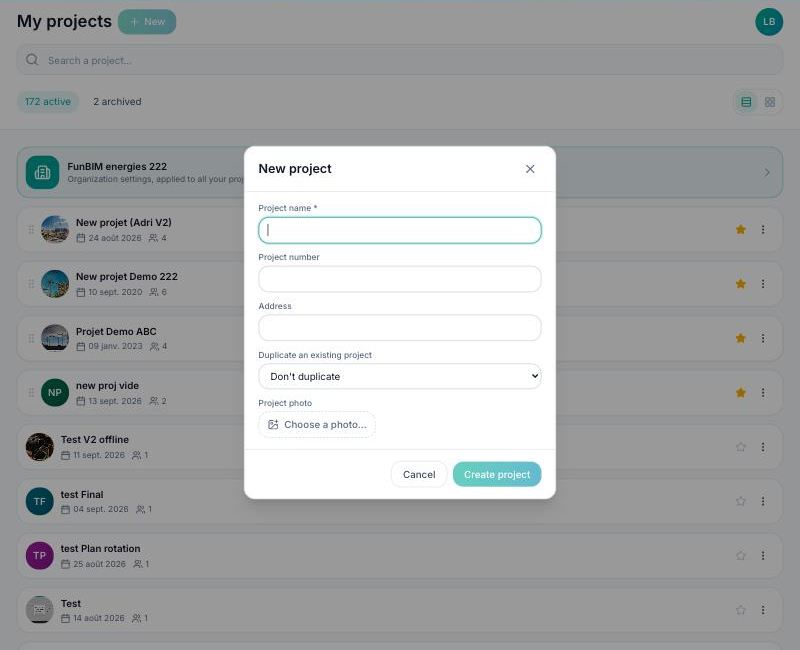
Click “Create project”. You are taken to its dashboard, ready to be set up: trades, observation and form types, then inviting the team (see the following questions).
Good to know: you can start from an existing project so you don't have to set everything up again — see “How do I duplicate a project?”.
