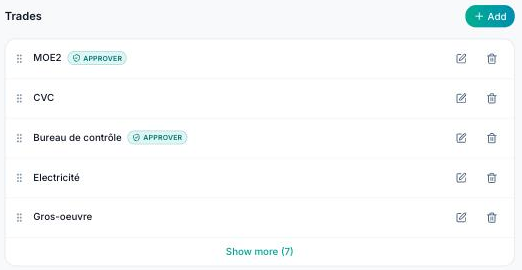
Trades (structural work, electrical, plumbing…) are the backbone of the project: each observation is assigned to a trade, and members' rights can be limited to their trades.
Go to Settings → Stakeholders, “Trades” section, then click “Add”.
For each trade you can enter:
- The trade name.
- Its initials (e.g. “GO”, “ELEC”): used in naming schemes and reports.
- A number.
- A group, to bring related trades together.
- A colour, which identifies the trade on plans and in lists.
- “Is a plan approver?”: tick it if this trade has to review plans in the CDE.
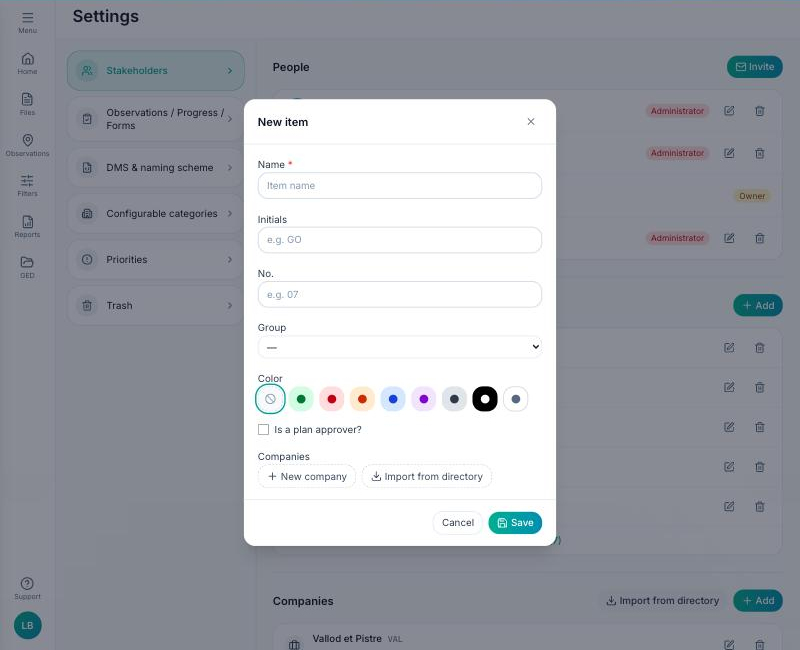
You can also link one or more companies to the trade, directly from its details (“New company” or “Import from directory”) or from the “Companies” section of the same tab: people invited on this trade will be associated with them.
The order of trades is changed by drag and drop; it is the order shown in filters and reports.
