Pre-filling is set on the form type: Settings → Observations / Progress / Forms → Form types → pencil icon of the type.
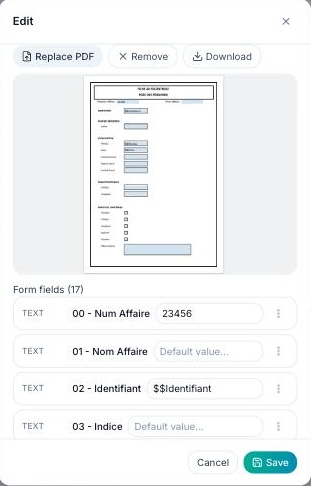
For each field of the PDF, enter a default value. The “Dynamic prefill” menu inserts tokens that are resolved when each form is created:
- $$projectName — the project name.
- $$authorName — the name of the person creating the form.
- $$dateNow — today's date.
The values are set when the form is created and can be changed afterwards. A form that already exists is not filled in again.
