In the tree on the “Files” page, right-click the item, then “Delete”, and confirm.
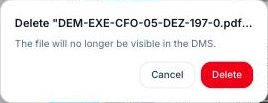
The file (or the folder and its contents) is no longer visible in the CDE, but nothing is erased: it is placed in the project's trash. To restore it, go to Settings → Trash.
Deletion is reserved for members allowed to import files and plans.
