When a plan gets a new revision, FunBIM shows you at a glance what has changed: the two versions are overlaid on the same plan, the more recent one in red and the older one in black.
From the Files page
Open the project, then “Files” in the left-hand menu, and click the plan in the tree.
In the plan header, to the right of its name, click “New revision” to open the menu, then “View differences”.
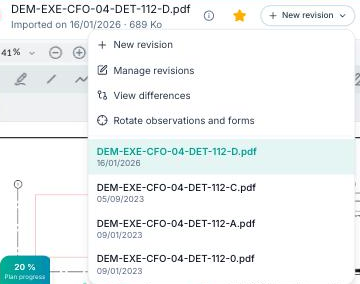
The “Compare revisions” window opens with the two latest revisions already selected: the comparison is displayed straight away.
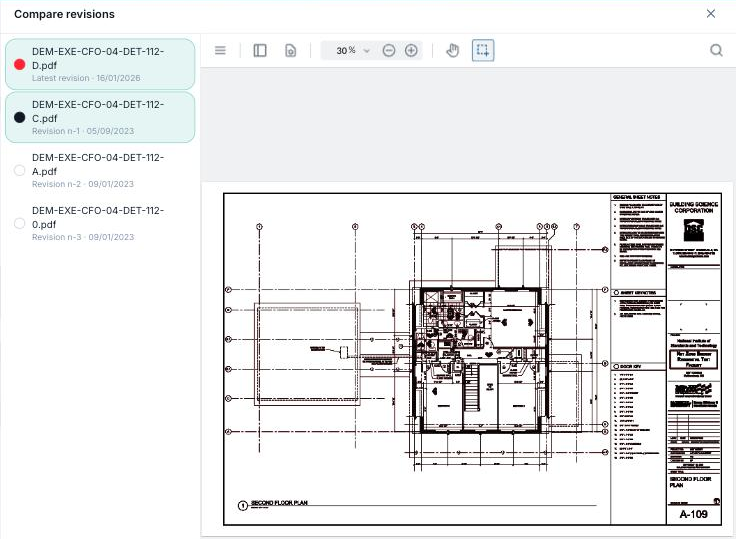
“View differences” only appears if the plan has at least two revisions. The “New revision” menu on the Files page is reserved for members who can import files; otherwise, go through the CDE (below).
From the CDE
- Click the plan row to open its panel, then, in the “Tracking” part, click “View differences” (under “Previous revisions”): the two latest revisions are compared directly.
- Or right-click the row and choose “Show”: the plan opens on its own in the same window; then tick a second revision to compare it.
Choose the revisions to compare
On the left of the window, the list shows all the plan's revisions, from the most recent (“Latest revision”) to the oldest (“Revision n-1”, “Revision n-2”…). Click a revision to add it to the comparison or remove it:
- two revisions selected: they are overlaid, the more recent in red, the older in black — the colour dot next to each name reminds you which is which;
- a single revision selected: it is displayed on its own, as usual;
- to compare two older revisions with each other, deselect the latest revision and tick the ones you are interested in.
Reading the comparison
- In red: what is in the more recent revision (additions, moved elements in their new position).
- In black: what is in the older revision (deletions, moved elements in their old position).
- Where the two revisions are identical, the lines overlap and look dark: only the changes stand out in a bright colour.
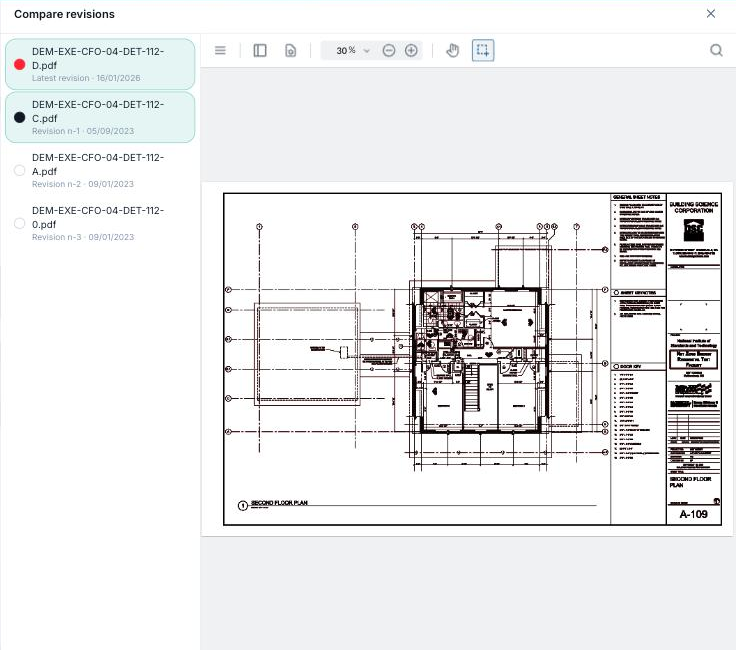
Zoom and move around the plan as in the usual viewer. Close the comparison with the cross at the top right or the Esc key.
The comparison covers the drawing of the PDF plans: FunBIM observations, forms and annotations are not shown. On the web, the first page of the plan is compared.
On tablets and phones
Open the plan in the “Files” screen, tap the “i” icon to the right of its name, then “View differences” under “Plan revisions”. The same window opens, with the same selection and the same colours; it compares all the pages of the plan and also works offline if both revisions have already been opened on the device.
Revision comparison is not available on Windows tablets.
