Select a drawing tool: four colour presets appear on the right of the toolbar. Click the active one (or the small arrow next to it) to open the style panel: stroke colour, fill colour, opacity, thickness and line style. Your choice is remembered for the next markups made with that tool.
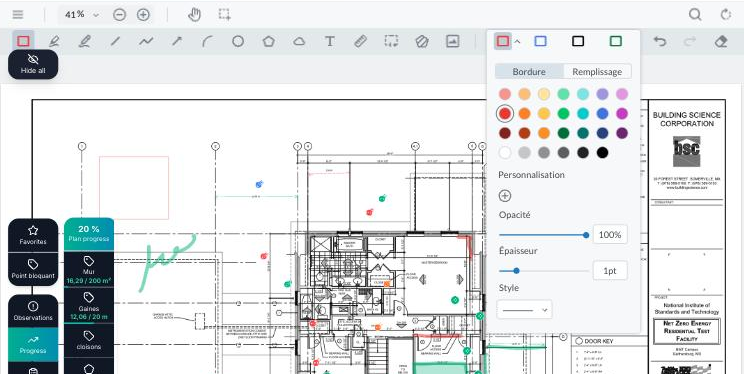
For an annotation that is already drawn, click it with the selection tool: the same style panel opens so you can change its colour, thickness or opacity.
