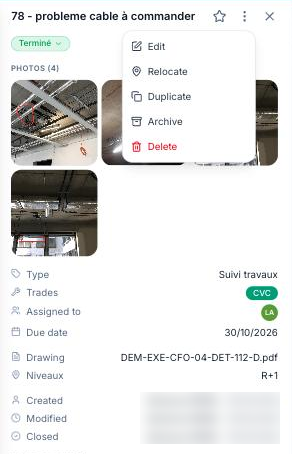
Open the observation from the plan (click its pin): its record is shown on the left. Open the ⋮ menu at the top of the record and choose “Relocate”, then click the new position on the plan: the pin moves there and the location is saved.
An observation created from the list, and so without a pin, is placed the same way with “Locate on the plan”.
