In “Observations”, display the list you want — with filters and search if needed, the export follows what is displayed — then click the export button at the top right and choose “Excel export”.
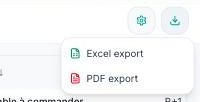
The file contains one row per observation with its columns: number, description, type, status, trades, location, due date, author, dates… The columns follow the ones you have made visible (“Configure columns”).
“PDF export” produces, in the same way, a printable table; for a laid-out report with photos and plans, use the “Reports” menu.
