An observation type (snag, blocking issue, pre-handover inspection, finding…) defines the possible statuses, the custom fields and the icon shown on the plans. It is set up once per project.
Go to Settings → Observations / Progress / Forms, “Observation types” section, then “Add”.
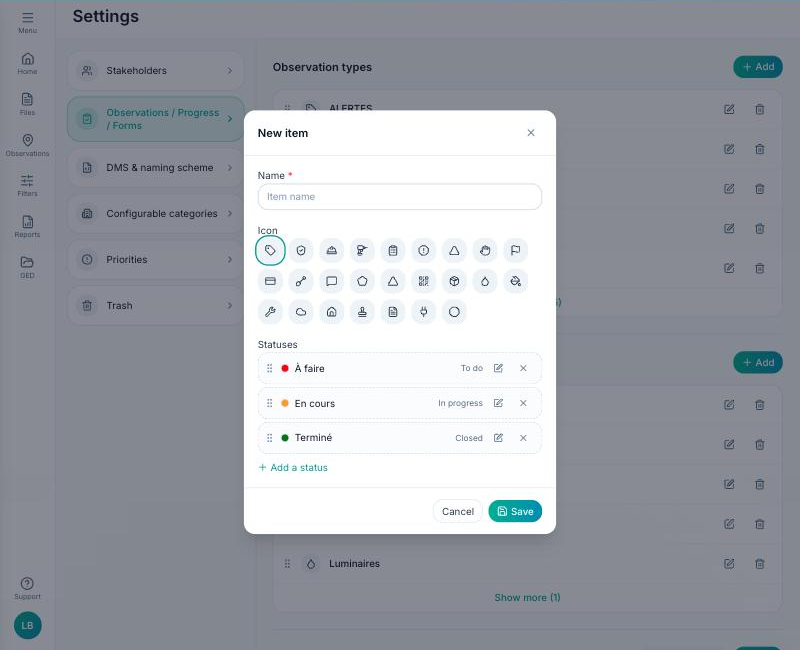
Fill in:
- The type name and its icon — used on the pins on the plan.
- The applicable statuses (To do, In progress, Completed…): tick those from the project's list or create new ones, with their colour. Drag and drop to set the order of the statuses.
- Any custom fields (text, list, date…) your teams will fill in on each observation.
Save. The type appears immediately in the “Observation” button of the list and in the plan toolbar. A type can be duplicated from another project when the project is created (“Duplicate an existing project”).
