In the “Observations” list, open the “⋯” menu on the row, then “Duplicate”.
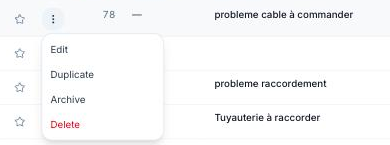
The copy keeps the type, description, status, trades, location and fields — with a new number. It opens right away so you can adjust it.
To create a series of observations during a visit, “Create and chain” from the creation form is often quicker.
