Open the observation (click its row in the list, or its pin on the plan). At the bottom of the record, type your comment in “Add a comment…” and send it (Enter).
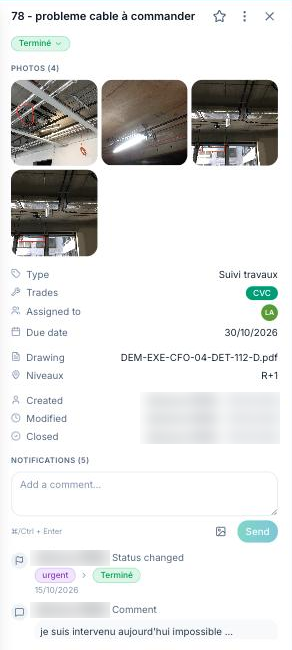
A comment can carry photos or PDFs (“Attach photos or PDFs”). Comments appear in the observation's activity feed, and in reports if the “Include comments” option is ticked.
You can “Follow” an observation from its record to be notified of every change.
