FunBIM runs in your browser (recent Chrome, Edge, Firefox or Safari) at https://app.funbim.com, and in the FunBIM app on tablets and phones (iOS, Android, Windows).
On the login page, click “Create one for free”, then enter your full name, your email and a password (at least 8 characters, with an uppercase letter, a number and a special character — the list is ticked off as you type). No credit card is required.
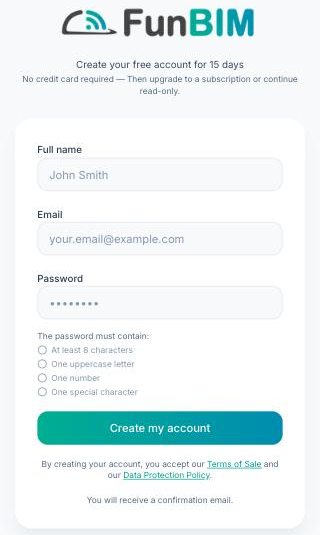
You then receive a confirmation email: click its link to activate your account. Until you do, login stays stuck on the “Verify your email” screen — check your spam folder, and use “Resend email” if needed.
Your company and phone number can be added later, from your profile (avatar at the top right).
The account starts with a 15-day free trial, with all features included. At the end of the trial, you move to a subscription or carry on in read-only mode, with no time limit. Your data is hosted in Europe.
If you have been invited to a project, create your account with the email address the invitation was sent to: it will be waiting for you under “Pending invitations” from your first login.
